
Note: This document applies to all Suite Engine products. CSM, CPM, API Engine, RPM, Homebuilder, and any other Suite Engine applications are managed from this one page in Business Central.
All Suite Engine subscriptions are managed from a single page in Business Central.
- Search for Suite Engine Subscriptions and select the related link
- The Applications list shows every installed Suite Engine product with its current status:
- Not Subscribed
- Evaluation
- Active
- Trialing / Past Due / Canceled / Unpaid (may also appear depending on billing state)
-
To Add/Update a Payment Method:
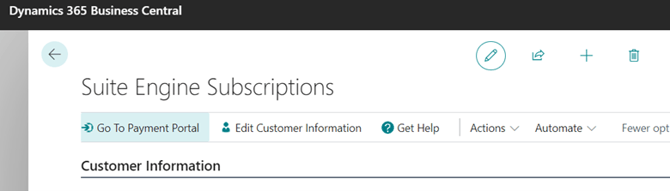
- Select Go to Payment Portal in the ribbon to open the Stripe billing portal and manage your payment methods/credit cards
-
To Start/Change a Subscription:
- Select the product in the Applications FastTab, then choose Create Free Trial Subscription (if eligible) or Start Subscription, and follow the prompts.
-
To Cancel a Subscription:
- Select the product in the Applications FastTab and choose Cancel Subscription.
- If you're canceling everything, make sure to cancel every line in the Applications FastTab, including any shared dependency/base component (such as CSM Core).
- A product left active there will continue to bill even if the main application is canceled.
- If you're canceling everything, make sure to cancel every line in the Applications FastTab, including any shared dependency/base component (such as CSM Core).
- Select the product in the Applications FastTab and choose Cancel Subscription.
-
To Reactivate a Subscription you Canceled:
- Select the product in the Applications FastTab and choose Reactivate Subscription.
- The Applications list shows every installed Suite Engine product with its current status:
Warning: When a change is made to your subscriptions, ensure you select Actions > Force Refresh to see the changes reflected in Suite Engine Subscriptions.